iPhone: assisted calling
iOS does not expose the call log, so the iPhone app tracks the calls you start from it and asks for the outcome when you come back — with a reliability label on every call. The iPhone app is coming to the App Store.

- 1
Same app, different capture
The iPhone app is waiting on App Store review; this is how it works once it is listed. Sign in, allow notifications and (optionally) enable LumaKol under Settings → Phone → Call Blocking & Identification so lead names show on incoming calls. Leads, follow-ups, outcomes and reports are identical to Android.
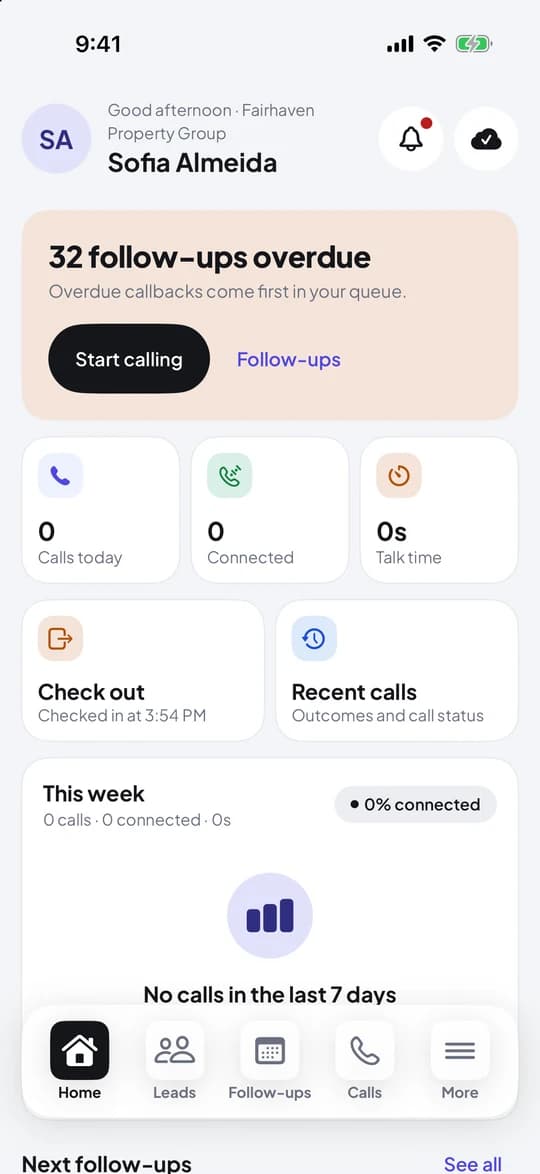
Home on iPhone - 2
Start calls from the app
Tap Call on a lead or Call now in the queue. The Phone app dials from your SIM; LumaKol notes the start time and watches the call while the app stays in the background.
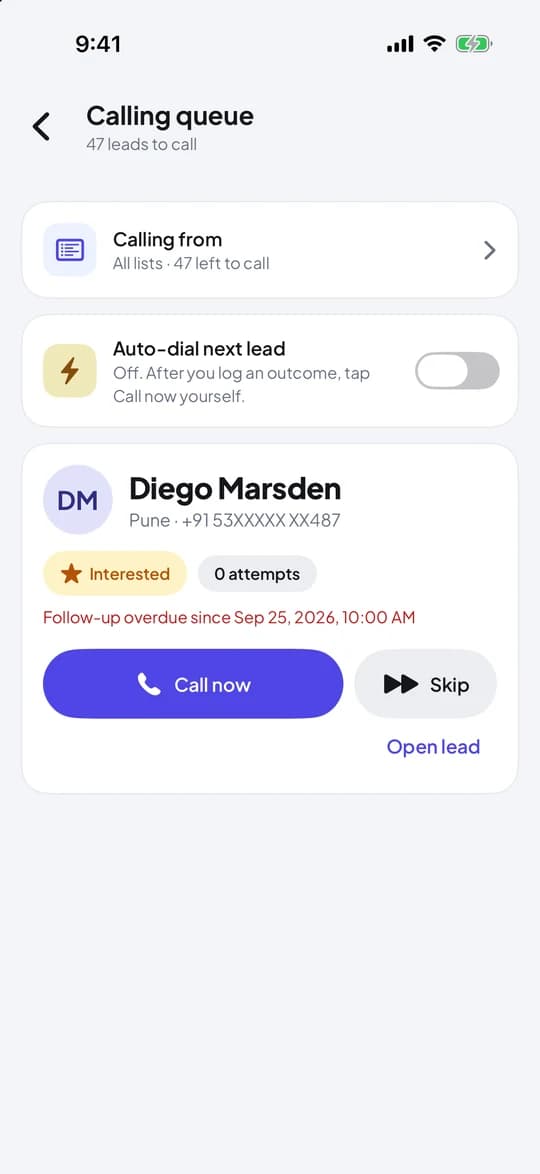
Calling queue on iPhone - 3
Come back after the call
When the call ends, return to LumaKol. The outcome screen opens with the call already recorded. If the app was not in front, a notification takes you there.
- 4
Reliability labels
Observed: both connect and end were seen. Partially observed: the end was missed while the app was suspended, so the duration is an estimate. Self-reported: nothing was observed, and the app asks you whether the call connected and roughly how long it lasted.
Did the app see the call connect and end?Observedexact duration, no questionsPartial or self-reportedestimate, or a two-tap correction on the outcome screenEvery iPhone call carries one of three labels - 5
Everything else is the same
Outcomes, follow-ups, templates, sequences, quotes, field visits, the business card scanner, attendance, notifications, language and appearance work as on Android, and the iPhone app can record a voice note on a lead. Calls sync to the workspace with source “iOS app” and their reliability label.
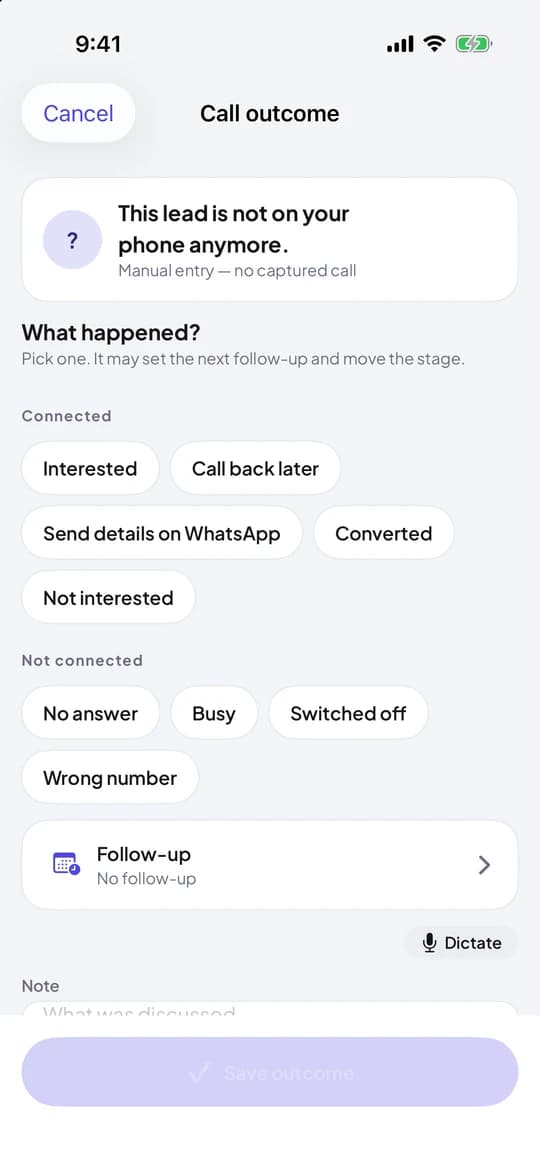
Call outcome on iPhone
Was Sie am Ende haben
- Calls you start from the iPhone app tracked with a reliability label
- The same outcome and follow-up loop as Android
- Lead names on incoming calls once Caller ID is enabled
Verwandte Inhalte
- ProduktBerechtigungenWas die App auf dem Telefon anfordert und warum
- AnleitungLog a call outcome
- AnleitungInstall the Android app and set up your work SIM
Schreiben Sie dem Support – jede Nachricht wird innerhalb eines Werktags von einem Menschen beantwortet.
Support kontaktieren