

Your agents keep calling. LumaKol does the rest.
Calls go out from the SIM in each agent’s phone — the number customers already know. The app captures the call, asks for the outcome, books the follow-up and keeps managers in the loop. Nothing to remember, nothing to type twice.

One loop, run every day
Five moments, each one automatic or a single tap. This is the whole product.
- Leads arriveImport a sheet, a form on your site, the API — then assign
- Agent callsFrom the app, on their own SIM
- Call capturedAutomatically on Android; assisted on iPhone
- Outcome + follow-upOne tap when the call ends
- Managers see it liveBoard, reports, recordings
Leads in, results out
The calling loop does not sit on its own. Leads reach it from wherever you generate them, and what the calls produce goes back to the tools you already run.
Five ways a lead arrives
- Lead sources
Connect Google Ads lead forms, IndiaMART or JustDial once — and, if you like, let missed calls from new numbers on Android become leads. Every new enquiry arrives as a lead automatically, duplicates are caught, and it is assigned, tagged and staged by the rules you set.
- Import a sheet
Upload .xlsx or .csv up to 50,000 rows, match the columns, skip duplicates and split the leads across agents in the same step.
- A form on your website
Build the form in Settings and paste the HTML into your site, or share the hosted link. The lead lands in the queue with its source and tags already set.
- The API
POST a lead from your own site, landing page or CRM with an API key. Read leads and calls back the same way, paged and filtered.
- By hand
Walk-ins and referrals go in from Add lead on the web or from the app, and the queue picks them up on the next refresh.
Four ways the work leaves
- Webhooks
A signed JSON POST to your URL the moment a lead is created, moves stage, is reassigned, or an outcome is logged. Failed deliveries are retried 7 times over about 16 hours.
- Your calendar
Subscribe to a private feed and every follow-up appears in Google Calendar, Outlook or Apple Calendar, updating as agents book and reschedule.
- Zapier, Make or n8n
Any automation tool that can catch a webhook and call an HTTP endpoint connects today. Inside LumaKol, automation rules and drip sequences handle assignment and follow-up without any extra tool.
- Reports and exports
Every call, outcome and attendance record is in the dashboard and reports, and exports to CSV for the roles your admin allows.
A day with LumaKol
What an agent, a team lead and an owner actually do — and what happens on its own.
- 9:00
Check in and open the queue
The agent checks in from the app. Home shows "Best to call now" — leads ordered by score, with due callbacks and fresh enquiries at the top. Start calling opens the queue with the script beside the Call button.
Automatic: status on the live board, leads scored and sorted
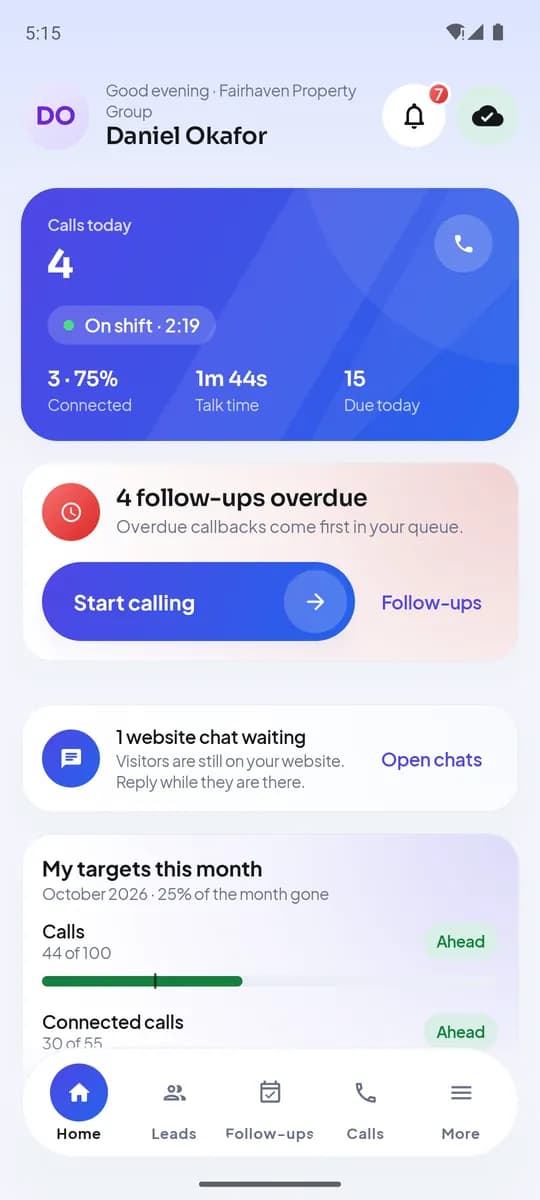
Home on Android - 9:05 – 18:00
Calls from the agent’s own number
Each call goes out through the phone’s dialer from the work SIM. When it ends, the outcome screen appears: one tap for what happened, the follow-up already filled in, a one-line note.
Automatic: call logged with duration, attempts counted, stage moved, reminder scheduled
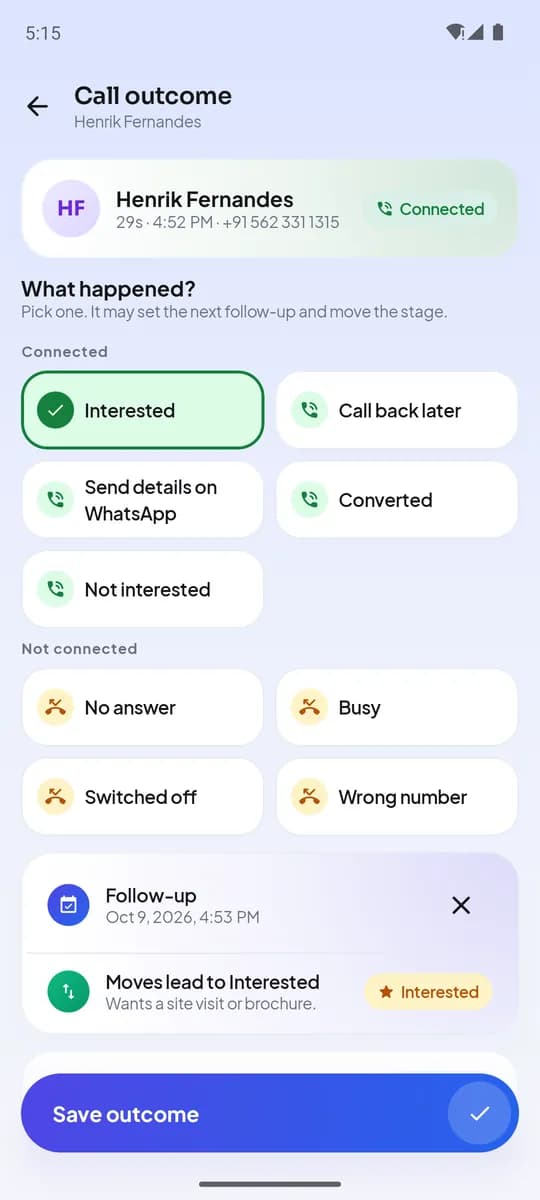
Call outcome, right after the call - All day
The team lead runs the day from the live board
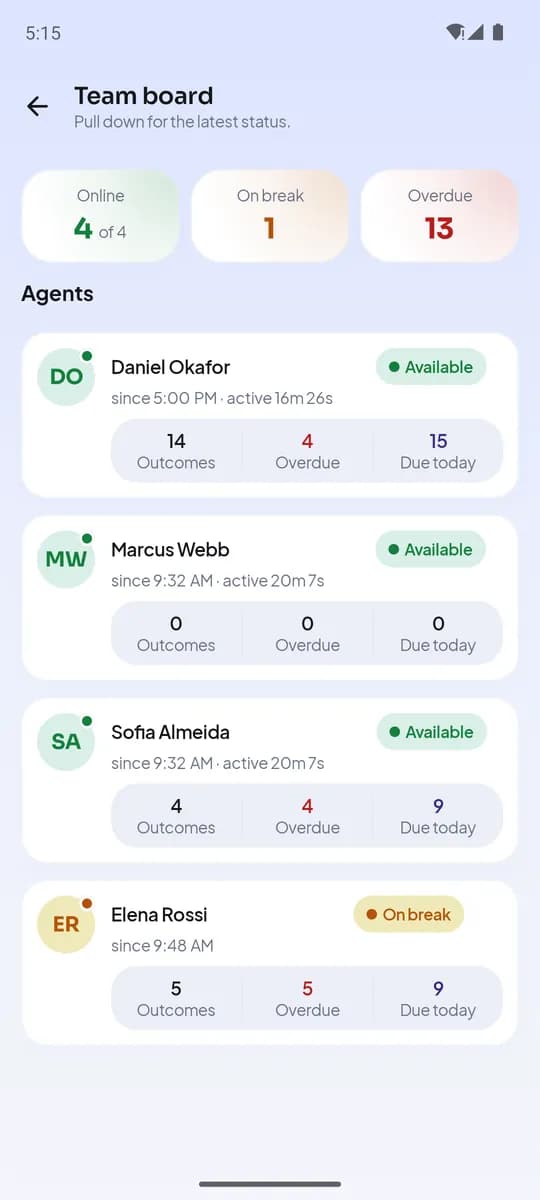
Who is available, on a call, on a break or idle; calls, outcomes and overdue callbacks per person. Two recordings a week per agent become the coaching material.
Automatic: every number comes from captured calls, not self-reports
lumakol.com/app/app/team/liveLive boardUpdated nowMember Check-in Active Outcomes Anita R. On call 09:02 3h 10m 14 2 overdue Rahul M. Available 09:15 2h 48m 11 Sunita K. On break 08:58 2h 05m 9 Deepak V. Idle 09:30 1h 20m 4 Idle for 24m Live board on the web - 18:00
Check out with tomorrow already planned
Every promise made on a call is a follow-up with a time. The agent checks out; tomorrow’s due list and reminders are waiting. The owner sees the day in the dashboard and reports.
Automatic: attendance, active time, idle time and outcomes in the report
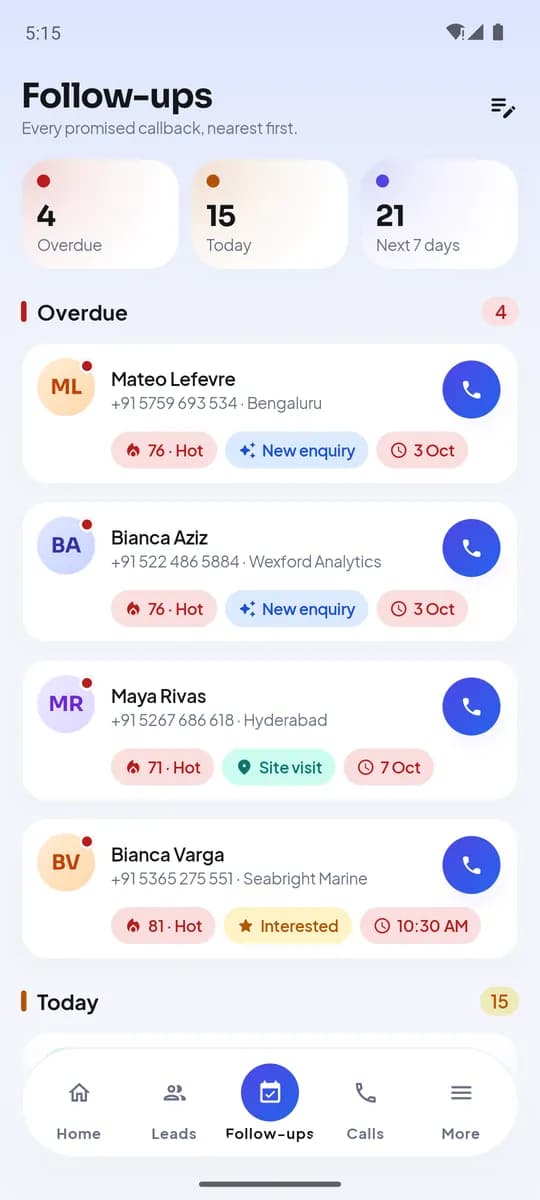
Follow-ups: overdue, today, next 7 days
Where the data flows
The conversation stays on the mobile network. Only the call record, outcome and notes — and the recording, if you turn on recording sync on Android — travel, encrypted, to your workspace.
Set up in an afternoon
Five steps for the owner; each one is a guide you can follow step by step.
- 1 / 5
Create your workspace
Sign up as a company or individual, verify your email, set country, time zone and calling hours.
Open the guide · 5 min - 2 / 5
Pipeline, outcomes and fields
Stages, the one-tap outcome list with default follow-ups, and the fields your process needs.
Open the guide · 10 min - 3 / 5
Invite the team
Agents and team leads by email or mobile number; each installs the app and picks their work SIM.
Open the guide · 5 min - 4 / 5
Import leads
Upload your sheet, match columns, skip duplicates and deal the leads out.
Open the guide · 8 min - 5 / 5
Connect your lead sources
Put a capture form on your site, issue an API key, and point a webhook at whatever you want told about every call.
Open the guide · 6 min
What each role sees
One workspace, three views.
Agent
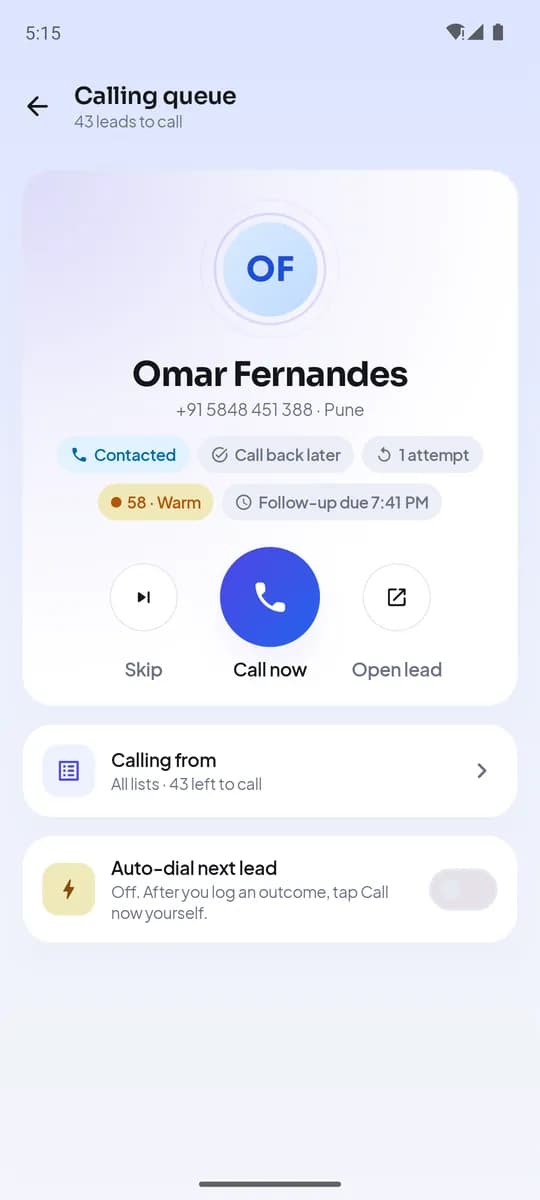
The app on their own phone: queue, outcome prompt, follow-ups, templates, attendance.
- Calls from their own number
- Outcome in one tap
- Follow-ups and reminders
- WhatsApp / SMS templates
Team lead
Their team on the web and in the app: live board, coaching, reassignment.
- Live board and idle detection
- Recordings for coaching
- Reassign leads and sheets
- Team reports
Owner / admin
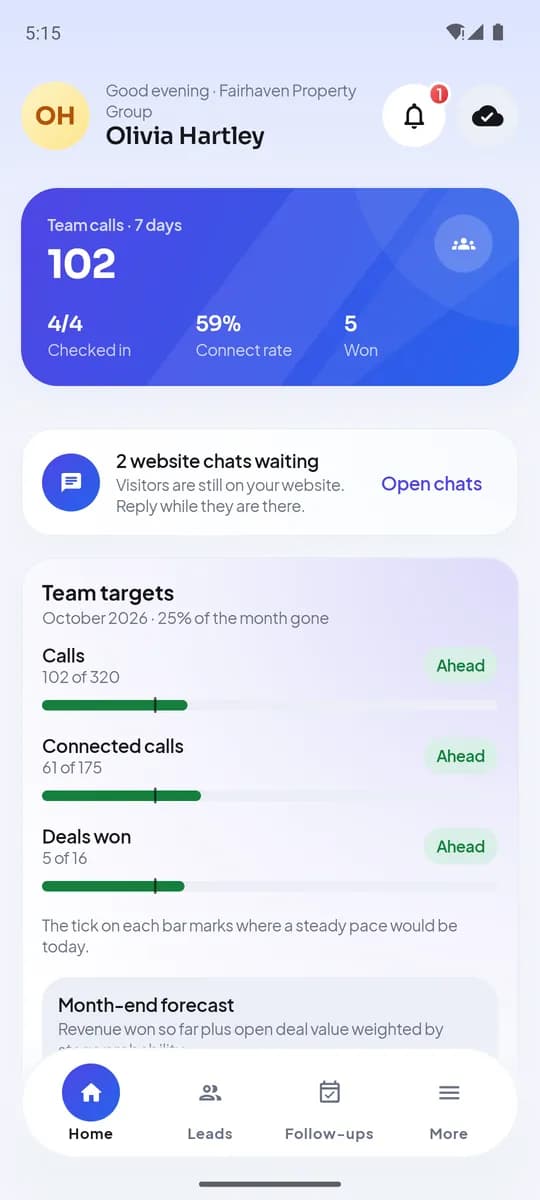
The workspace: settings, people, policy, billing and every report.
- Pipeline, outcomes, fields, scripts
- Calling policy and privacy
- API keys, webhooks and capture forms
- Seats, plans and invoices
- Dashboard and exports
Android and iPhone
Both apps share the same screens, languages and dark mode; the iPhone app is coming soon to the App Store. Capture differs because the platforms do.
Product tour

An app that captures every work call
LumaKol runs on the phone your agents already have. On Android it captures every work call in the background; on iPhone it tracks calls started from the app. No extra hardware, no new number, no training day.
- Works on the phone and SIM your agents already have
- On Android, every lead call on the work SIM is captured, even when the app is not open
- Guided setup in minutes, with no IT involvement
- Lead details on screen before the agent picks up
Give your team a CRM that captures every call
Set up your workspace in minutes and start capturing calls today.
Create free account