Put a lead form on your website
A form somebody fills in and the lead is already in the calling queue, carrying its source and tags — as a link you can share anywhere, or as HTML you paste into your own site.
- Owner or admin access to Settings
- Somewhere to put it: a website you can edit, or anywhere you can paste a link
- Your pipeline set up, so a new lead lands in the right first stage
- 1
Create the form
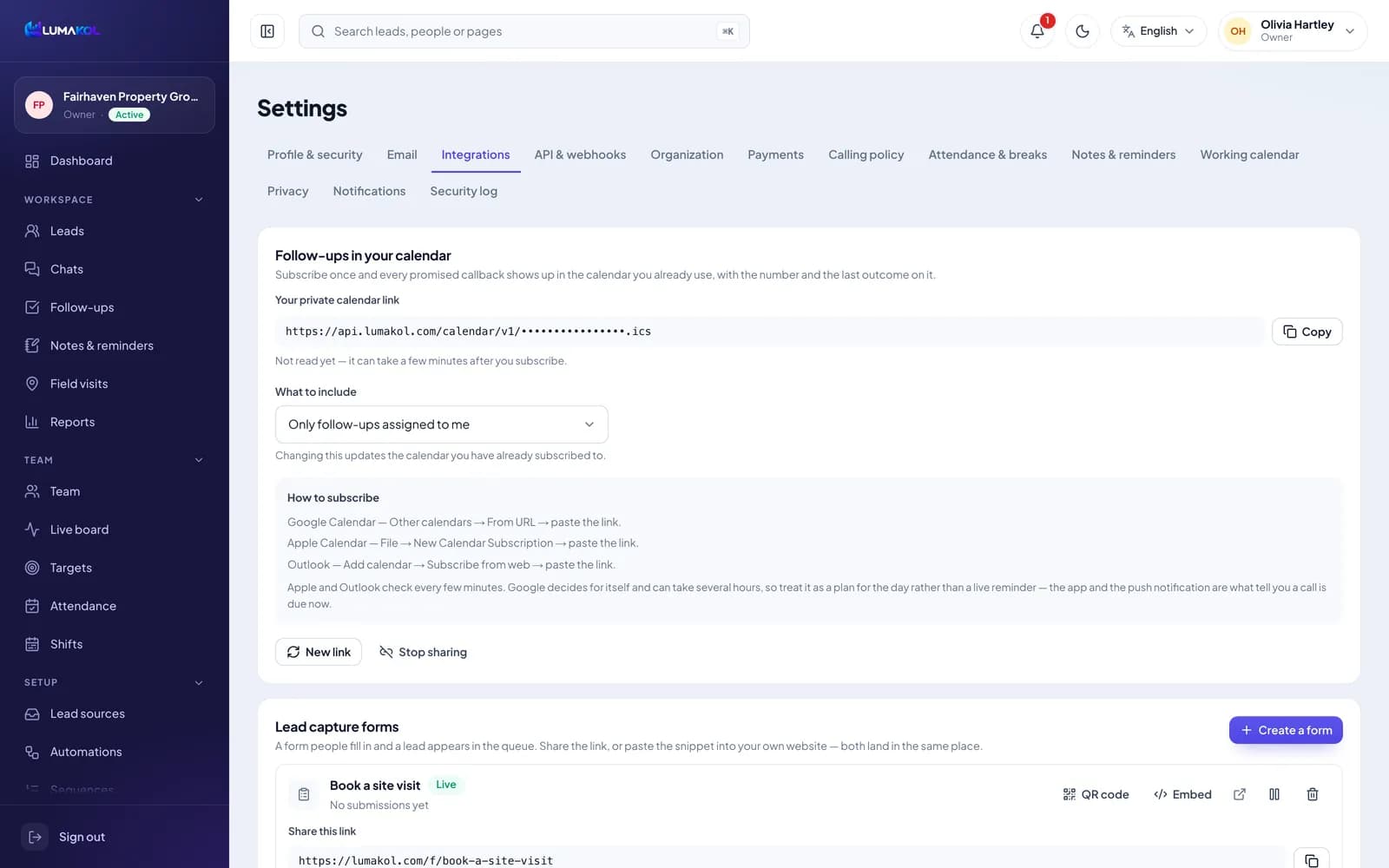
Settings → Integrations → Lead capture forms → Create a form. The name is for you — it shows in this list and on the lead list. The headline and the short introduction are what a visitor reads; leave the headline empty and the form name is used. It is live the moment you save.
- 2
Choose what to ask for
Tick the boxes the visitor fills in: name, mobile number, email, company, city, state, designation, address, PIN code and “What are you looking for?”. The mobile number is always asked for and cannot be unticked — it is how the lead gets called back. Everything else is your choice, and every extra box loses people.
- Three boxes — name, number and one question — convert better than ten
- Whatever they type into “What are you looking for?” is saved as the first note on the lead
- Ask for what changes how you open the call; the rest the agent can ask on the call
เคล็ดลับ: If a field only matters for some enquiries, leave it off the form. A shorter form gets you more numbers to call. - 3
Set the source and the tags
Source is written onto every lead this form creates — website, instagram-ad, expo — so reports and the Lists page can tell your channels apart later. Leave it blank and the leads are marked web_form. Tags are comma separated and added to every lead from the form. One form per channel, each with its own source, is what makes that comparison worth reading.
- 4
Share the link, or paste the snippet
Every form is both at once. “Share this link” opens a hosted page you can put in a profile, a WhatsApp reply or an ad. “Embed” gives you plain HTML that posts straight to LumaKol from your own page — style it however you like, only the field names matter. Both create exactly the same lead. You can send people to a page on your own site afterwards, or show a thank-you message instead.
- Keep the hidden “website” box in the snippet — that is the part that catches bots
- The posting address can be regenerated on its own; the shareable link does not change
- Pause a form and both stop working at once, without touching the leads it already collected
Can you edit your own website?Paste the HTML snippetyour page, your styling, same leadShare the hosted linknothing to install, nothing to codeBoth ways land in the same queue - 5
What happens when someone submits
The lead appears like any other, in the first stage of your pipeline, with the form’s source and tags on it and whatever they typed as its first note. The form gets its own row on Leads → Lists (and shows as a Live form in Reports → Import history): use Reassign there to give those leads to one person or split them evenly, and submissions that arrive later follow the same rule. A submission from a number you already hold does not create a second lead — it adds a note to the existing one, so the agent can see they asked again. The visitor is thanked the same way either way, so the form cannot be used to work out who is already in your CRM.
- Visitor fills the formyour site or the hosted page
- Checkedbot trap, rate limit, valid number
- Lead in the queuesource and tags already on it
- Agent calls
From the form to the first call, with nobody typing anything in - 6
Keep the junk out
Two things run before a submission becomes a lead. The snippet carries a field no human ever sees: a bot that fills it is thanked and quietly ignored, which gives away less than an error would. And one address may send eight submissions to one form in ten minutes before it is turned away. The form’s row shows how many leads and how many repeat submissions it has taken, and when the last one arrived — a number that jumps overnight is worth a look.
- A number that is not a valid mobile is refused on the spot, with a plain message to the visitor
- Plan limits apply here as they do to an import: a submission that would take you over is turned away
- Deleting a form kills its link and its snippet immediately; pausing is the reversible version
สิ่งที่คุณจะได้เมื่อจบ
- A form that works as a shareable link and as an embed in your site
- Leads arriving with their source, tags and first note already filled in
- Repeat enquiries noted on the existing lead instead of duplicated
คำถามที่พบบ่อย
Do I need a website for this?+
No. The hosted link is a complete page on its own — put it in a social profile, an ad or a WhatsApp reply. The HTML snippet is there for the day you do have a site you want it on.
Someone filled the form twice. Do I get two leads?+
No. A submission from a number already in the workspace adds a note to the lead you already have, with whatever they typed this time. The visitor sees the same thank-you either way.
Can I run a different form for each campaign?+
Yes, and you should. Give each one its own source and tags, and Reports and Leads → Lists will tell you which channel is actually producing calls worth making.
Can I change what the form asks for after it is live?+
Yes. Edit the fields and the hosted page updates at once. If you pasted the HTML into your own site, update that copy too — only the field names it posts matter.
ที่เกี่ยวข้อง
- ผลิตภัณฑ์ฟีเจอร์ทุกสิ่งที่ LumaKol ทำได้ ทีละหน้าจอ
- บทความFrom your website to an agent’s queue in seconds
- คู่มือAdd live chat to your website and answer from the Chats inbox
เขียนถึงฝ่ายสนับสนุน ทุกข้อความได้รับคำตอบจากเจ้าหน้าที่จริงภายในหนึ่งวันทำการ
ติดต่อฝ่ายสนับสนุน